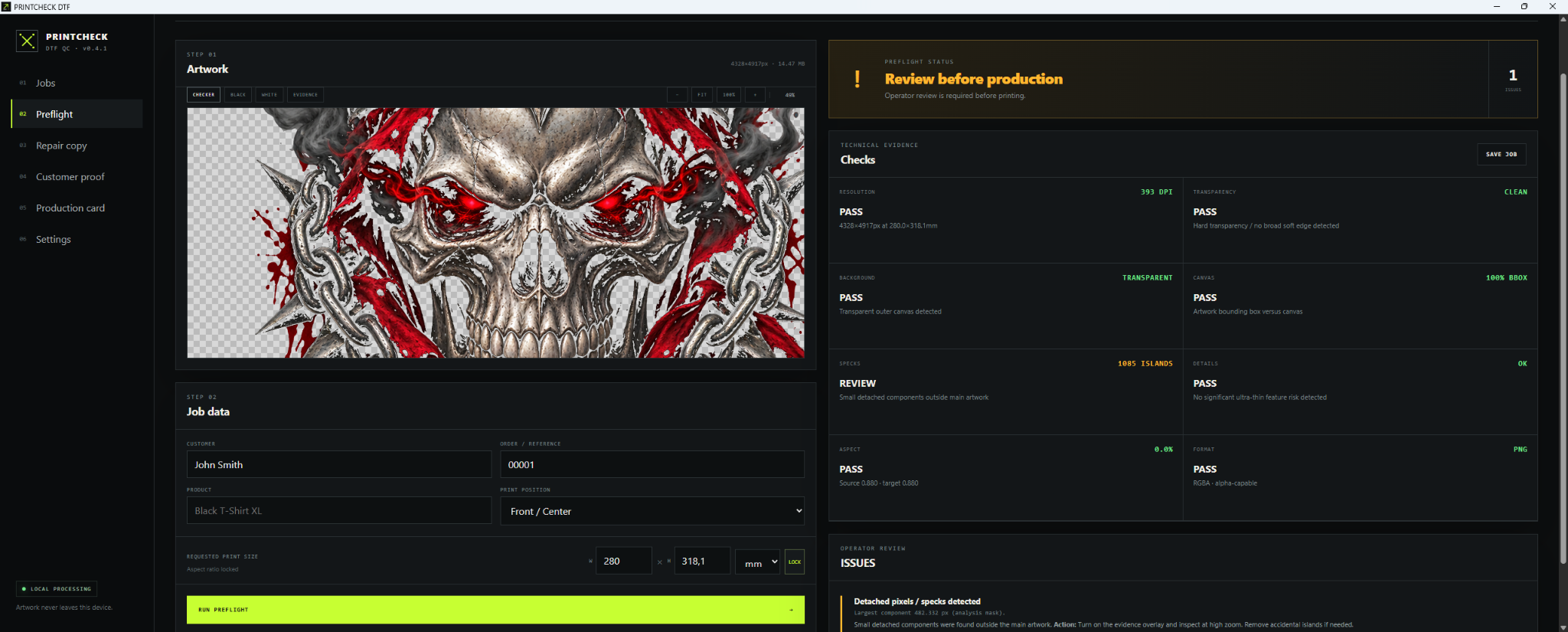
Check PNG and JPG artwork for DTF printing at its intended size. Turn file properties into a clear, practical production verdict before it reaches the printer.
PRINTCHECK turns technical facts into a readable pass, review or warning — with reasons and a practical next step.
01
Resolution at the real print size.
Calculate effective DPI from pixels and millimetres instead of trusting metadata alone.
02
Transparency, margins and detached pixels.
Inspect alpha edges, empty space and isolated components before they land on film.
03
Fine details with context.
Spot details that may be too delicate for reliable printing and application.
FROM SOURCE FILE TO PRODUCTION CARD
One controlled DTF workflow.
01
Preflight
Load PNG or JPG, set the target print size and run the checks.
02
Understand
Read why a result matters and what to verify next.
03
Repair copy
On Windows, work on a separate repair copy and inspect details with zoom, pan, Fit and 100% view.
04
Approve
Prepare a customer approval sheet with the relevant production risks.
05
Document
Export production cards and customer documents with notes, contact details and print placement, including custom positions and left/right sleeves.
CHOOSE THE RIGHT START
Quick online check or full desktop workflow.
PRINTCHECK
BROWSER · quick check
PNG and JPG file analysis
Target-size based verdict with reasons
Analysis only — no image repair tools
PRINTCHECK
WINDOWS · full workflow
Preflight, repair copy, physical scaling and DPI metadata
Local jobs, zoom/pan and Fit / 100% inspection
Customer approvals, production cards and custom print placement
CHECK FIRST. PRINT WITH CONTEXT.
No cloud processing. No print guarantee.
The checker helps assess the file. The final DTF result still depends on your printer, ink, film, powder, material and press settings. Use the verdict and run an appropriate test print.
No for the basic check: use the browser version for a simple result and reasons. Install the Windows app when you need repair copies, saved jobs or production documents.
Which files are supported?
PNG and JPG. Set the intended print size to assess effective DPI. The browser checker accepts files up to 40 MB and 16 megapixels; use the Windows app for the full repair and document workflow.
Are my graphics uploaded?
Artwork is processed locally in the browser checker and Windows app. The Windows app uses no advertising, analytics or cloud image processing. The website uses local, cookieless visit statistics; see the privacy policy.
Does a pass guarantee a perfect print?
No. It assesses the artwork file, not every printer, ink, film, textile or press setting. Review warnings and test your real production setup.